Transfer photos and videos to iPhone or iPad with the Ibley Lightning card reader
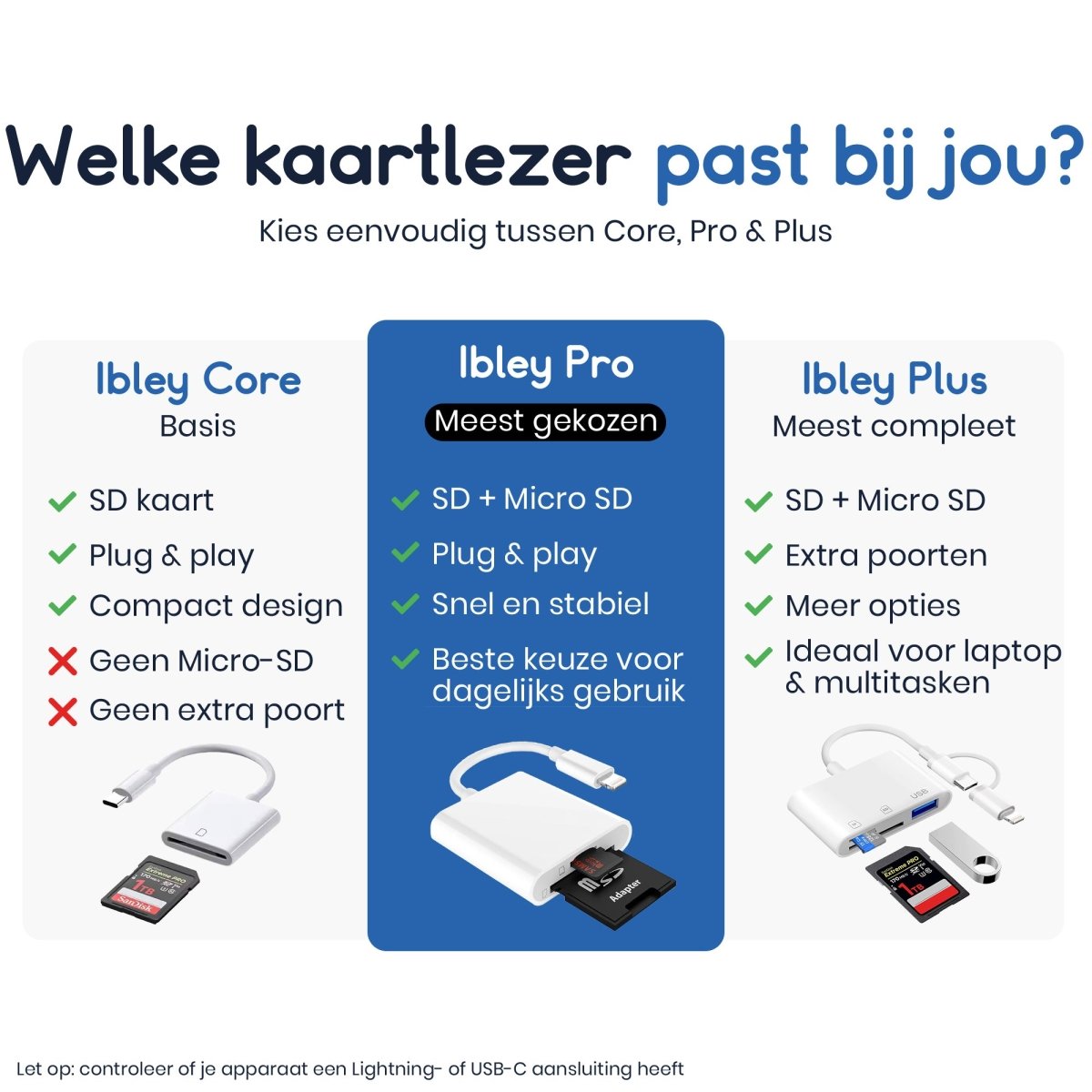
Easily transfer photos and videos from SD and microSD cards to your iPhone or iPad with the Ibley Lightning card reader. Plug and play, no apps or laptop required — ideal for when you're on the go.

Want to quickly view photos and videos from your camera, drone or action camera on your iPhone or iPad? With the Ibley Lightning 2-in-1 SD and microSD card reader, you can easily transfer files without a laptop, extra apps or complicated settings. This compact card reader is specially designed for Apple devices with a Lightning connector and works entirely plug & play.
What is the Ibley Lightning 2-in-1 card reader?
The Ibley card reader has two card slots: one for standard SD cards and one for microSD (TF) cards. Connect the card reader directly to the Lightning port on your iPhone or iPad. You can then view, copy or save your files directly to your device using the Files app or Photos app.
This makes the card reader ideal for anyone who works with memory cards on the go and doesn't have a laptop handy.
Ready to use straight away: no apps or drivers required
One major advantage of this Lightning card reader is how easy it is to use. You don't need to install any separate apps or change any settings. Insert the SD or microSD card into the appropriate slot, connect the card reader and open the Files app on your iPhone or iPad. Within seconds, you'll have access to your photos, videos and other files.
Who is this card reader suitable for?
- Photographers who want to view or share photos directly on their iPhone
- Drone and action camera users who want to import videos quickly
- Travelers who don't want to bring a laptop
- Users who want to transfer files from SD or microSD to iOS
Supported cards and compatibility
The Ibley Lightning card reader supports both SD cards and microSD (TF) cards. This makes it suitable for many cameras, drones and other devices that use memory cards.
The card reader is designed for Apple devices with a Lightning connector. Have a newer iPhone or iPad with USB-C? Read our guide Choosing a card reader: USB-C or Lightning to find out which card reader is right for your device.
Not sure whether to choose SD or microSD?
Not every camera or drone uses the same type of card. See our in-depth guide Choosing an SD and microSD card reader for an overview of which card reader is right for your specific device, whether it's a camera, laptop or Android device.
Helpful tips for faster transfers
- Use a fast SD card (such as U1 or U3) for larger files and videos
- Manage your files in the Files app to keep everything organized
- Delete files from the card after saving them to free up space
Why choose the Ibley Lightning card reader?
This card reader is compact, lightweight and specially designed for everyday use with iPhone and iPad. Thanks to its 2-in-1 design, you don't need a separate card reader for SD and microSD. This makes it ideal for travel, vacations or work.
Frequently asked questions
Does this card reader work with all iPhones and iPads?
The card reader works with Apple devices that have a Lightning port and a recent version of iOS. Devices with USB-C require a different card reader — see our full range of card readers to find the right one.
Do I need an app to open files?
No. You can open files directly in the standard Files app or Photos app on your iPhone or iPad.
Can I view videos directly from the card?
Yes. In many cases, you can view photos and videos directly, depending on the file format and the speed of the memory card.
View the product
Want to easily transfer files from SD or microSD to your iPhone or iPad? Take a look at the Ibley Lightning 2-in-1 SD and microSD card reader in our online store, or compare all the options in our card reader collection.